
Step 1: Measure the area
Measure the length and width of the room along the walls – in older houses at two points, because few rooms are perfectly square. Use the larger value. Area = length × width. To convert: 1 m² = 10.76 sq ft.
L- or U-shaped rooms: split them into rectangles and add the parts. An L-shaped bathroom of 3.40 × 1.90 m plus 2.00 × 1.20 m is 6.46 + 2.40 = 8.86 m². Treating it as one 3.40 × 3.10 m rectangle gives 10.54 m² – almost 20% too much.
Deduct fixed areas that won't be tiled, such as a shower tray, a built-in tub or a kitchen plinth. Don't deduct small cut-outs like pipes or drains – they create waste anyway.
Step 2: Area of one tile
Convert the tile size to meters (or feet) and multiply: 30 × 60 cm = 0.3 × 0.6 = 0.18 m²; 12 × 24 in = 1 × 2 ft = 2 sq ft. Ignore the grout joint – it reduces demand only slightly and acts as a small extra reserve.
| Tile size | Area per tile | Tiles per m² |
|---|---|---|
| 20 × 20 cm (8 × 8 in) | 0.04 m² | 25.0 |
| 30 × 30 cm (12 × 12 in) | 0.09 m² | 11.1 |
| 30 × 60 cm (12 × 24 in) | 0.18 m² | 5.6 |
| 60 × 60 cm (24 × 24 in) | 0.36 m² | 2.8 |
| 60 × 120 cm (24 × 48 in) | 0.72 m² | 1.4 |
Step 3: Add a waste allowance
Edge tiles get cut, the occasional tile breaks, and offset or diagonal layouts produce extra offcuts. Typical allowances:
| Layout | Waste |
|---|---|
| Straight grid, large room | 5–8% |
| Straight grid, small room or many corners | 10% |
| Offset (½ or ⅓ running bond) | 10–12% |
| Diagonal (45°), herringbone | 15–20% |
| Large format, 60 × 120 cm and up | 12–15% |
Why the numbers vary so much is explained in tile waste calculation.
Step 4: Round up to boxes
Tiles are sold by the box. Divide the number of tiles by the pieces per box (printed on the carton) and always round up. If the box only states the coverage (m² or sq ft per box), divide the material area by that value instead.
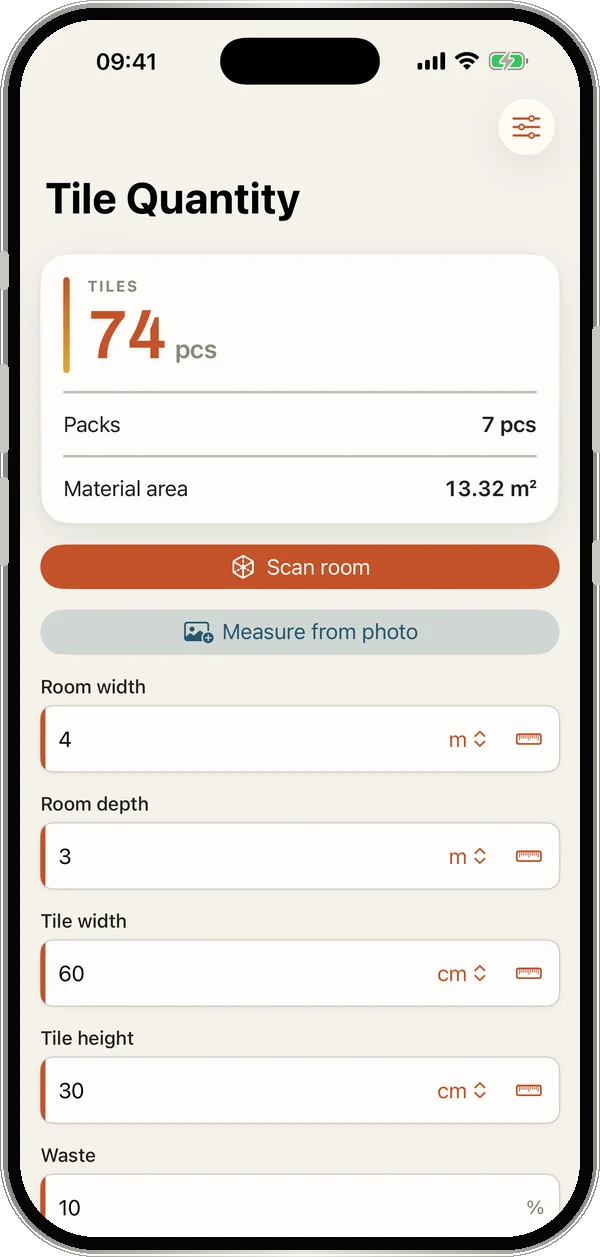
Example: 74 tiles, 8 per box → 9.25 → 10 boxes. With 1.44 m² per box: 74 × 0.18 = 13.32 m² ÷ 1.44 = 9.25 → also 10 boxes.
In the TileWright app you can simply scan the label: the box scan reads pieces per box and tile size with your camera.
Tips that save money
- Buy one batch. Tiles from different firings vary in shade. Buy everything at once and note the batch (lot) number.
- Keep a spare box for future repairs – the same series is often discontinued after a few years.
- Check the return policy. If unopened boxes can go back, an extra box is cheap insurance.
- Walls work differently – with wall length, height and deductions for doors and windows: calculate wall tiles.
Common mistakes
- Calculating an L-shaped room as a rectangle.
- Adding waste after rounding – that counts it twice.
- Using 5% for large formats: one broken 120 cm tile is already 1.44 m².
- Guessing pieces per box instead of reading the label – boxes of the same size differ by brand.
Scan the room instead of measuring
TileWright calculates all of this live as you type – with a LiDAR room scan for real floor plans, doors and windows deducted automatically, a room designer and a PDF material list. Fully offline.
Download on the App StoreFrequently asked questions
How many tiles do I need for 100 sq ft?
With 12 × 24 in tiles (2 sq ft each) and 10% waste: 100 × 1.1 ÷ 2 = 55 tiles. With 24 × 24 in tiles (4 sq ft): 28 tiles.
How much extra tile should I buy?
5–10% for a straight layout, 10–12% for offset, 15–20% for diagonal or herringbone. Small rooms with many corners need more.
Do I subtract grout lines when calculating tiles?
No. Grout reduces demand only minimally. Use the nominal tile size – the difference is a small reserve.
How do I calculate tiles for an L-shaped room?
Split it into two rectangles, calculate both areas and add them. The TileWright LiDAR room scan does this automatically.
How many boxes of tile do I need?
Divide the number of tiles including waste by the pieces per box and round up – or divide the material area by the coverage per box.