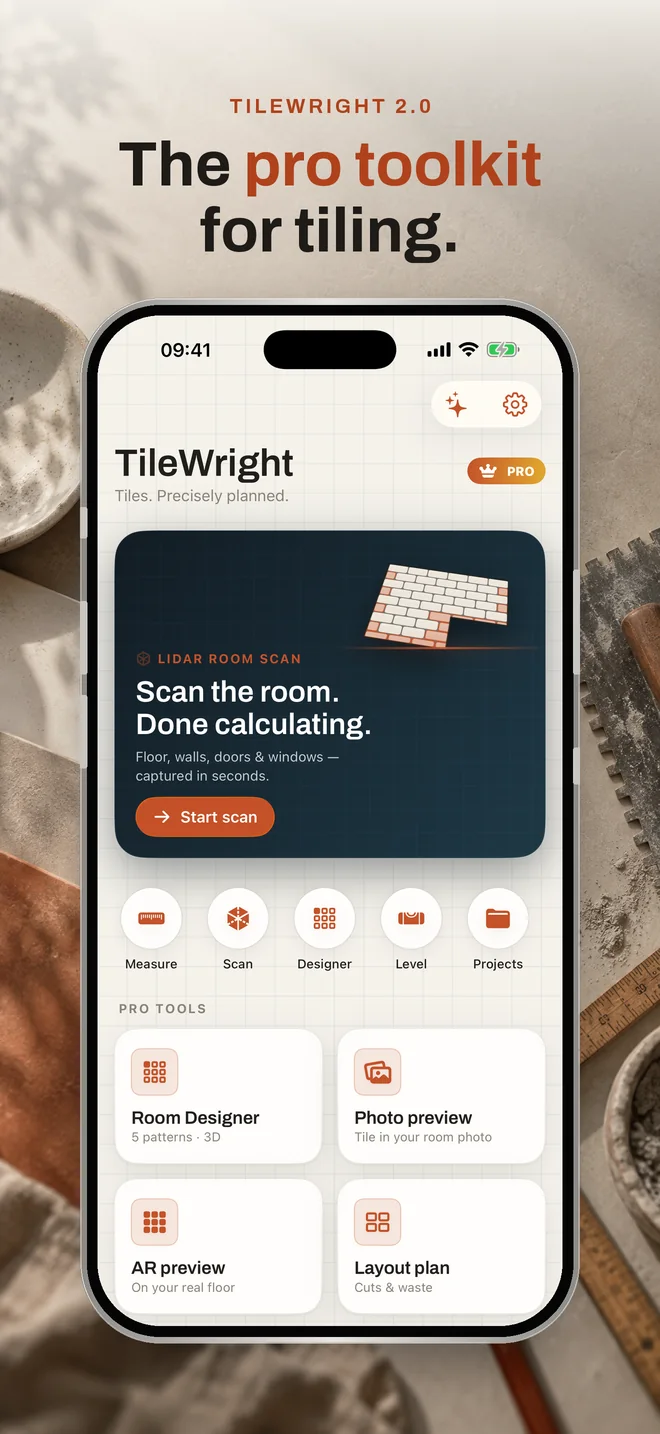
New in 2.0 · LiDAR room scan

Scan the room.
Done calculating.

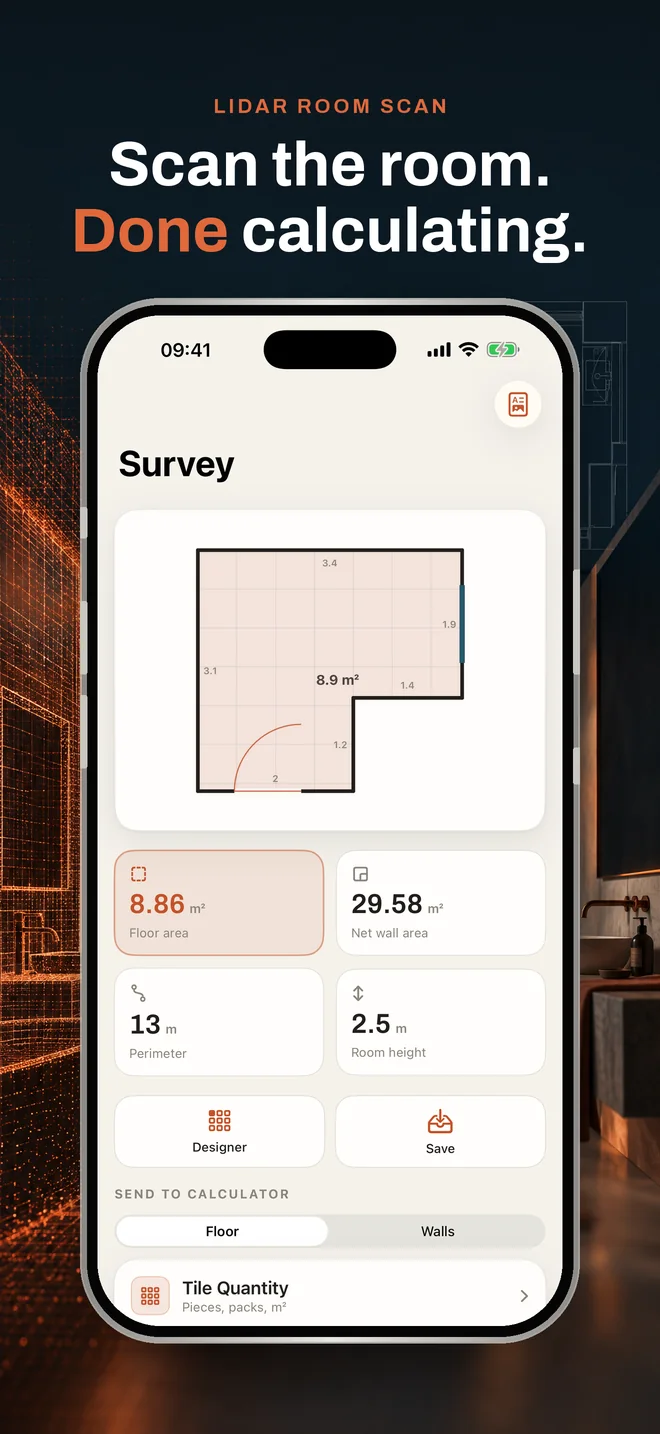
Pan once through the room: TileWright captures the floor, walls, doors and windows – and instantly works out tiles, adhesive, grout and cost.

Download on the App Store

Free · iPhone · 100% offline · no account

How the room scan works

From scan to material list in under a minute.

The scan uses the LiDAR sensor on iPhone Pro models. Everything is calculated on the device – nothing leaves your iPhone.

Scan

Pan slowly across the floor and walls. Several rooms? Just walk into the next one and keep scanning.

Check

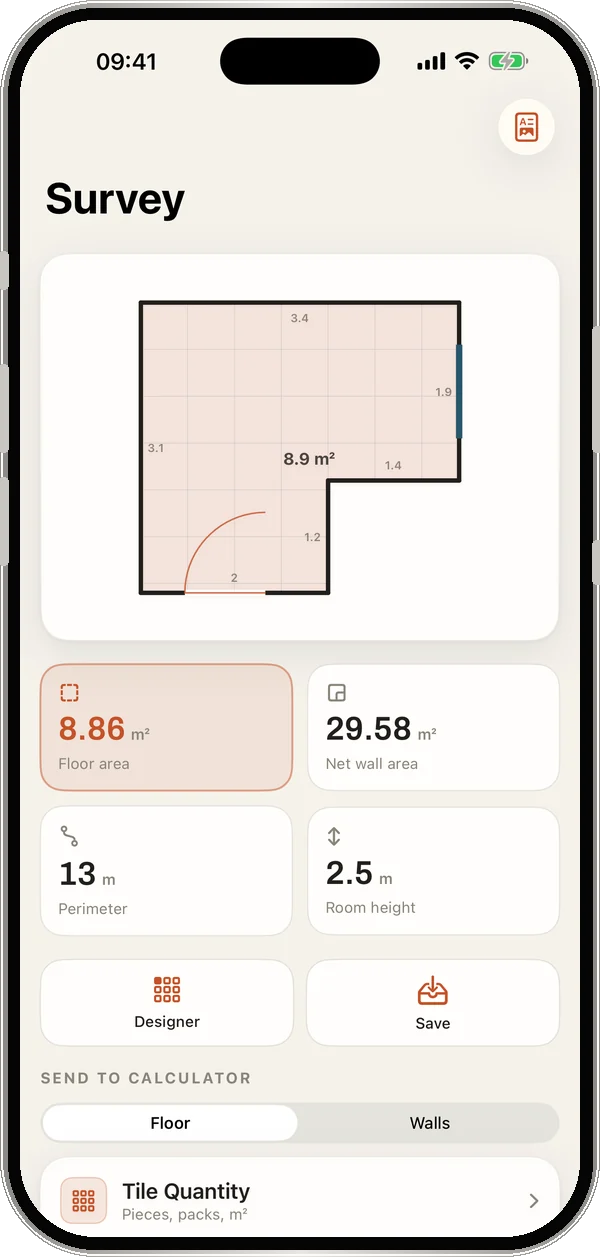
The survey shows the floor plan, floor area, net wall area, perimeter and room height. Doors and windows are already deducted.

Use it

Send the floor or walls to any calculator with one tap, share a PDF or view the 3D model.

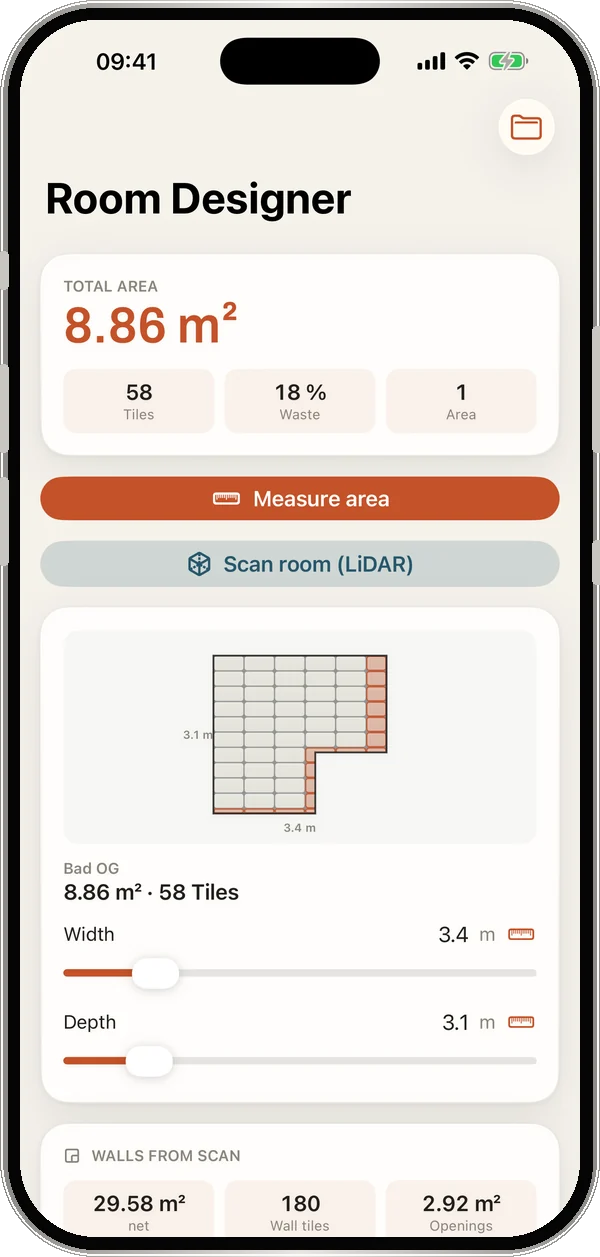
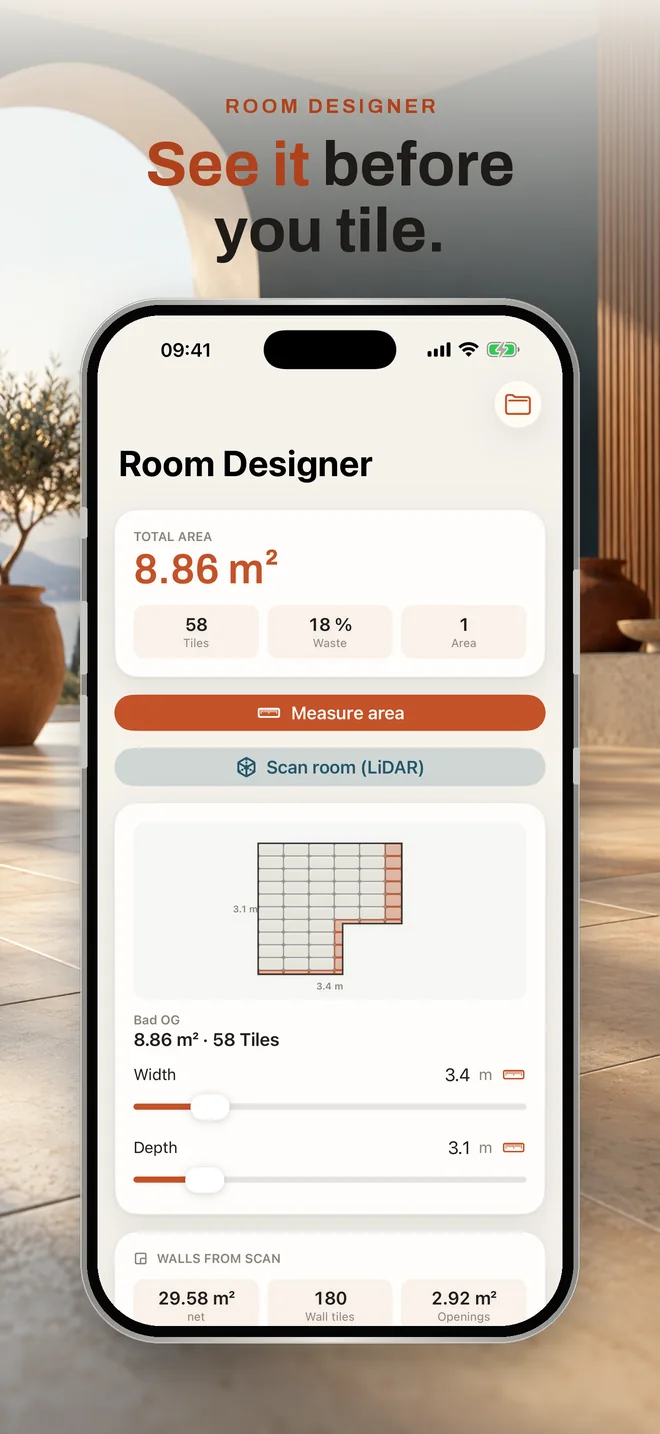
Room designer with the scanned L-shaped bathroom, tile grid and highlighted cuts

The real shape, not a rectangle.

An L-shaped bathroom isn't a 3.4 × 3.1 m rectangle. TileWright works with the real floor plan – and the room designer counts only the tiles that actually fall inside it.

8.86 m²Floor area (instead of a 10.54 m² rectangle)
29.58 m²Net wall area
2.92 m²Doors & windows deducted
180Wall tiles 60 × 30 cm

Features

Everything the job site needs.

Results update live as you type – no “calculate” button, no signal needed.

10 calculators

Every quantity, down to the bag.

Live as you type – with a waste assistant, custom material presets and metric or imperial units.

  • Tile quantity & boxes
  • Grout
  • Adhesive by trowel notch
  • Diagonal (45°)
  • Layout patterns
  • Skirting
  • Waterproofing
  • Primer
  • Stair tiles
  • Cost & full project
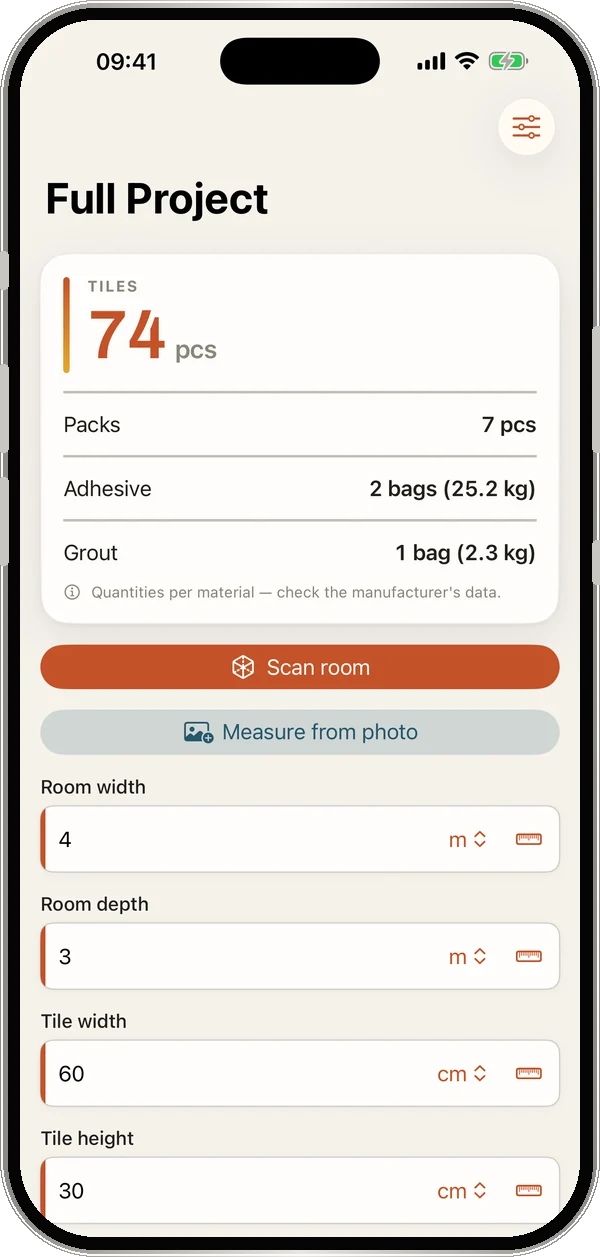
Full project with tiles, boxes, adhesive and grout
New · Box scan

Point at the label. Done.

The camera reads pieces per box, area and tile size straight off the carton – with Live Text, offline.

Room designer

See it before you tile.

5 laying patterns up to basket weave, real tile looks, grout color, cuts and a 3D view – all to scale.

New · AI assistant

Expert answers on your iPhone.

“Which trowel notch for 60 × 120?” Runs on-device with Apple Intelligence. Quantities always come from the verified calculators.

Measure

AR tape & photo.

Measure walls in AR or take dimensions from a photo. Plus a spirit level with slope.

Offline & private

No account. No data.

Works in basements and bare-shell sites. No ads, no data collection, optional iCloud sync.

Quick access

One tap to scan.

Widget, Control Center buttons (iOS 18) and Siri: “Scan room with TileWright”.

Export

PDF, CSV, 3D.

Material list and survey as PDF, a spreadsheet as CSV, the room as a 3D model – straight to clients or suppliers.

On the App Store

A look inside the app.

Optional

TileWright Pro

The calculators are free. Pro is for everyone who scans rooms and runs job sites.

  • LiDAR room scan with walls & openings
  • 3D model & PDF survey
  • Room designer with 5 patterns & 3D
  • Box scan & AI assistant
  • AR tape measure & photo measuring
  • Projects, iCloud sync, PDF & CSV
Download on the App Store

Monthly, yearly or a one-time purchase. Current prices are shown in the app before you buy.

FAQ

Frequently asked questions

What is TileWright?

TileWright is an iPhone app for tile setters and DIYers. It scans rooms with LiDAR and calculates material needs: tiles, waste, grout, tile adhesive, skirting, waterproofing, primer, stairs and cost. All calculations run offline on the iPhone.

How does the room scan work?

Pan your iPhone slowly across the floor and walls. TileWright detects the floor plan – including L- and U-shapes – every wall, and all doors and windows. You get floor area, net wall area, perimeter and room height, and send them to any calculator with one tap. You can scan several rooms in a row.

Which iPhone do I need?

The calculators run on any iPhone with iOS 17 or later. Room scanning needs an iPhone with a LiDAR sensor (Pro models from iPhone 12 Pro). The AI assistant requires a device with Apple Intelligence.

Does TileWright work offline?

Yes. TileWright needs neither internet nor an account. Room scan, box scan and the AI assistant run entirely on the device. No data is collected or transmitted.

How much does TileWright cost?

The download and the calculators are free. Pro unlocks room scan, 3D model, PDF survey, room designer, box scan, AI assistant, AR tape measure, projects and export – as a subscription (monthly or yearly) or a one-time purchase. Prices are shown in the app before you buy.

Who is TileWright for?

For professional tile setters, contractors and ambitious DIYers who want fast, reliable material quantities for floor and wall tiles.